Step-by-Step QuickBooks Enterprise Advanced Pricing Training
Welcome to the Advanced Pricing training hub. Our tutorials cover activation, creating price rules, setting up quantity- and customer-based pricing tiers, testing rule precedence, and best practices for auditing price changes in QuickBooks Enterprise. Explore our all Free QuickBooks Training videos of QuickBooks Enterprise for more tips and guides.
Get a high-level overview of QuickBooks Enterprise Advanced Pricing and how to implement it.
Explore the Advanced Pricing module in detail — setup, rules, and use cases in under 10 minutes.
Related Free Training Video Tutorials of QuickBooks Enterprise
Explore more tutorials to enhance your QuickBooks Enterprise knowledge. From setup and installation to advanced features, these videos help you manage your business more efficiently.

Core Functions of QuickBooks Enterprise
Discover how to efficiently manage core tasks in QuickBooks Enterprise, including setting up customers and vendors, creating invoices, tracking inventory, and more essential functions.
Advanced Inventory in QuickBooks Enterprise
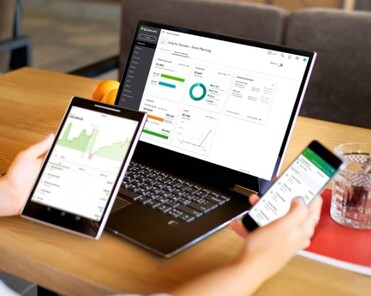
Unlock powerful inventory tools with the Advanced Inventory module-learn to manage barcode scanning, lot and serial numbers, multiple warehouse locations, and other advanced tracking options.

QuickBooks Enterprise Advanced Reporting
Create insightful custom reports in QuickBooks Enterprise using interactive charts and graphs. Learn to extract and visualize data to support smarter financial decisions.
Frequently Asked Questions (FAQs)
What is the Advanced Pricing feature in QuickBooks Enterprise?
Advanced Pricing in QuickBooks Enterprise allows you to create automated price rules based on factors like customer type, quantity purchased, and date ranges, saving you time on manual updates.
Which QuickBooks Enterprise editions include Advanced Pricing?
Advanced Pricing is included in the QuickBooks Enterprise Platinum and Diamond editions, and is available as an add-on for the Gold edition.
Can I set different pricing for specific customers?
Yes, you can create custom price rules for individual customers or customer groups, ensuring tailored discounts and consistent pricing.
Does Advanced Pricing work with quantity discounts?
Yes, you can set rules that automatically adjust pricing when customers purchase products in bulk, helping you incentivize larger orders.
How do I learn to set up Advanced Pricing in QuickBooks Enterprise?
You can use our free setup guides, video tutorials, and live training sessions to master Advanced Pricing. Visit our Resource Library for step-by-step instructions.
Master Advanced Pricing in QuickBooks Enterprise
Take control of your pricing strategy with our free guides, video tutorials, and expert-led training sessions. Start optimizing your QuickBooks today!
Get free onboarding support from a QuickBooks Certified Expert — limited-time offer.
Not sure where to start? Speak to our QuickBooks Experts today for a free consultation.