Customization of QuickBooks Enterprise Advanced Inventory Reporting
This section guides you through practical steps to use the Advanced Inventory features in QuickBooks Enterprise. Learn how to manage inventory across multiple locations, create and assign picklists, use mobile scanners, and update sales orders efficiently to optimize your inventory workflows. Explore all our Free QuickBooks Training Videos for more tips and guides.
Learn the basics of Advanced Reporting in QuickBooks Enterprise.
In this module, you will learn how to modify layouts and work with formulas.
Learn how to work with detailed expressions in Advanced Reporting.
This video gives you a detailed overview and walkthrough of Advanced Reporting.
A quick video to help you navigate and understand Advanced Reporting.
Create year-over-year comparison reports to evaluate your business over time.
Learn how to access properties and how dimensions and expressions are built.
Learn how to edit objects and review functions in Advanced Reporting.
Learn how to find and delete an object in Advanced Reporting.
Learn how to use the action colors in Advanced Reporting to filter objects.
Learn how to use list boxes to connect your data and build reports.
Get different perspectives on your data by moving columns in reports.
Watch a syntax being built step by step to learn how to use expressions.
Related Free Training Video Tutorials of QuickBooks Enterprise
Explore more tutorials to enhance your QuickBooks Enterprise knowledge. From setup and installation to advanced features, these videos help you manage your business more efficiently.

QuickBooks Enterprise Setup and Installation
Get step-by-step guidance on downloading, upgrading, and updating QuickBooks Enterprise. Learn how to manage your CAMPS account, update user access permissions, and streamline your setup process.
Core Functions of QuickBooks Enterprise
Discover how to efficiently manage core tasks in QuickBooks Enterprise, including setting up customers and vendors, creating invoices, tracking inventory, and more essential functions.
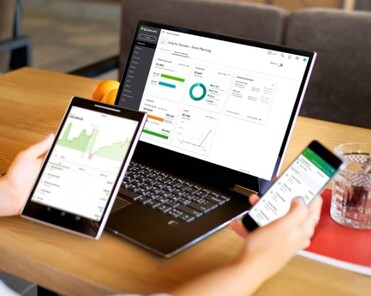
Advanced Inventory in QuickBooks Enterprise
Unlock powerful inventory tools with the Advanced Inventory module-learn to manage barcode scanning, lot and serial numbers, multiple warehouse locations, and other advanced tracking options.
Frequently Asked Questions (FAQs)
What is QuickBooks Enterprise Advanced Reporting?
QuickBooks Enterprise Advanced Reporting is a built-in tool that allows you to create, customize, and analyze detailed business reports. It enables you to work with templates, formulas, filters, and visual layouts to gain deeper insights into your business performance.
Do I need a specific edition of QuickBooks Enterprise for Advanced Reporting?
Advanced Reporting is available in all QuickBooks Enterprise editions starting from version 2015. However, features and templates may vary depending on your subscription level.
Can I customize reports in QuickBooks Enterprise Advanced Reporting?
Yes. You can customize reports by adding or removing fields, applying filters, grouping data, creating calculated columns, and designing layouts that match your specific business needs.
Does QuickBooks Advanced Reporting support formulas and expressions?
Yes. Advanced Reporting allows you to use formulas and expressions to calculate metrics such as profit margins, growth rates, and location-specific performance.
Can I export my custom reports from QuickBooks Enterprise?
Yes. Custom reports created in Advanced Reporting can be exported to Excel or PDF for sharing, archiving, or further analysis.
Is training available for QuickBooks Enterprise Advanced Reporting?
Yes. We provide free video tutorials and setup guides that cover everything from launching Advanced Reporting to building advanced formulas and customizing templates.
Start Mastering QuickBooks Enterprise Advanced Reporting Today
Unlock the full power of QuickBooks Enterprise Advanced Reporting with our step-by-step video tutorials and personalized guidance. Learn how to create custom reports, apply formulas, and design layouts that give you deeper insights into your business performance. Whether you want to track sales trends, monitor inventory data, or build financial dashboards, we’ll help you transform complex data into actionable information.
Not sure where to start? Speak to our QuickBooks Experts today for a free consultation.